Entities & concept map
Who and what your reading is about
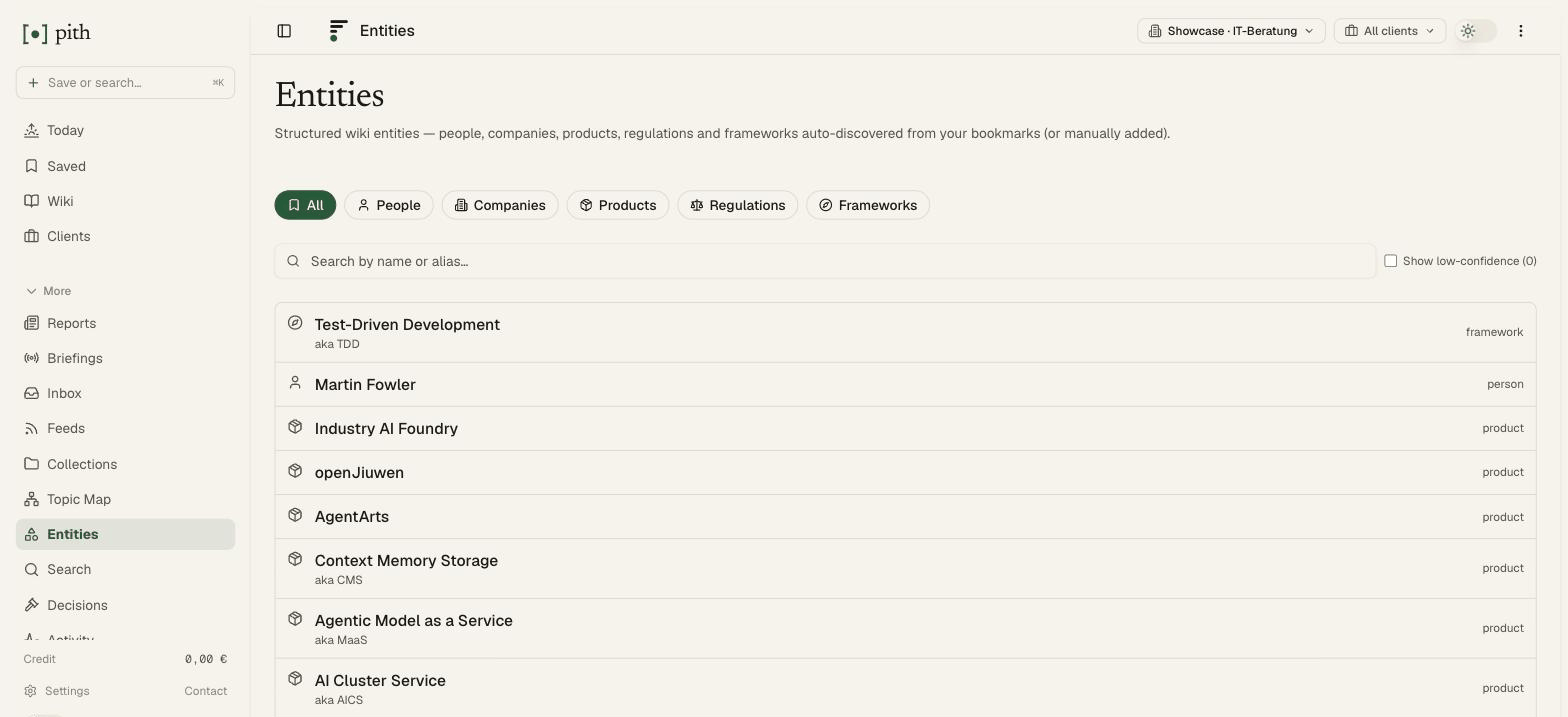
Pith extracts the people, companies, products, regulations and frameworks from your saves and gives each one a page with its sources. The map draws your concepts or entities and how they connect.
In short
Pith extracts the people, companies, products, regulations and frameworks from your saves, gives each one a page with its sources, and draws your concepts and entities as a map.
In the app: /entities
What it gives you
Entities with sources
Every person, company or regulation gets a page listing the articles that mention it.
Clean up in a click
Merge duplicates, change a type, or add an entity by hand.
Two lenses on one map
Switch between wiki concepts and entities; show the sources underneath if you want.
How it works
- 1
Save articles — entities are extracted when they are summarised.
- 2
Open Entities to browse by type, or the concept map to see the connections.
- 3
Click a node to open its summary, or a source to read the original.
Other make sense features
FAQ
What counts as an entity?
People, companies, products, regulations and frameworks named in your saved articles. You can merge duplicates, change a type, or add one by hand.
What does the map show?
Your wiki concepts, or your entities, as a graph — with the links between them and, if you like, the sources underneath. Click a concept to open its summary.
How much do I need to save first?
The map draws from two concepts on; it gets interesting after a few dozen saves.
Try it for yourself.
No credit card. Try Entities & concept map in your own workspace — AI actions cost cents from a prepaid credit, and there is €1 free every month.
Start free