Best knowledge tools for consultants in 2026
B2B buyer research for consulting-firm KM stacks
Consultants read constantly but rarely turn that reading into reusable, citable knowledge — notes scatter across tabs, docs, and chat threads, and by the next engagement they're gone. This list compares seven tools for capturing and reusing what your team reads; each entry is honest about what it's genuinely good for and where it falls short, so you can match the tool to how your firm actually works.
- 1
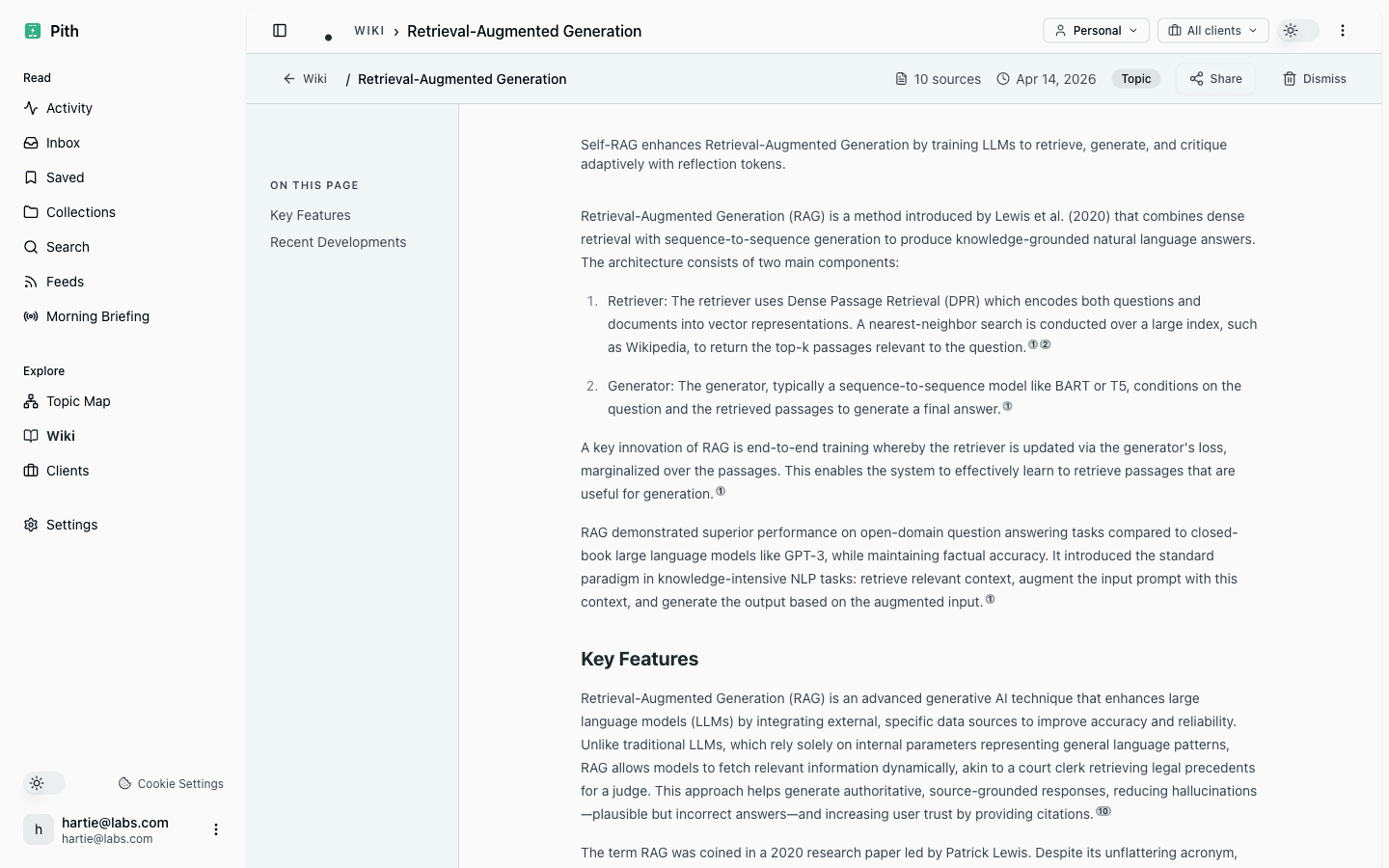
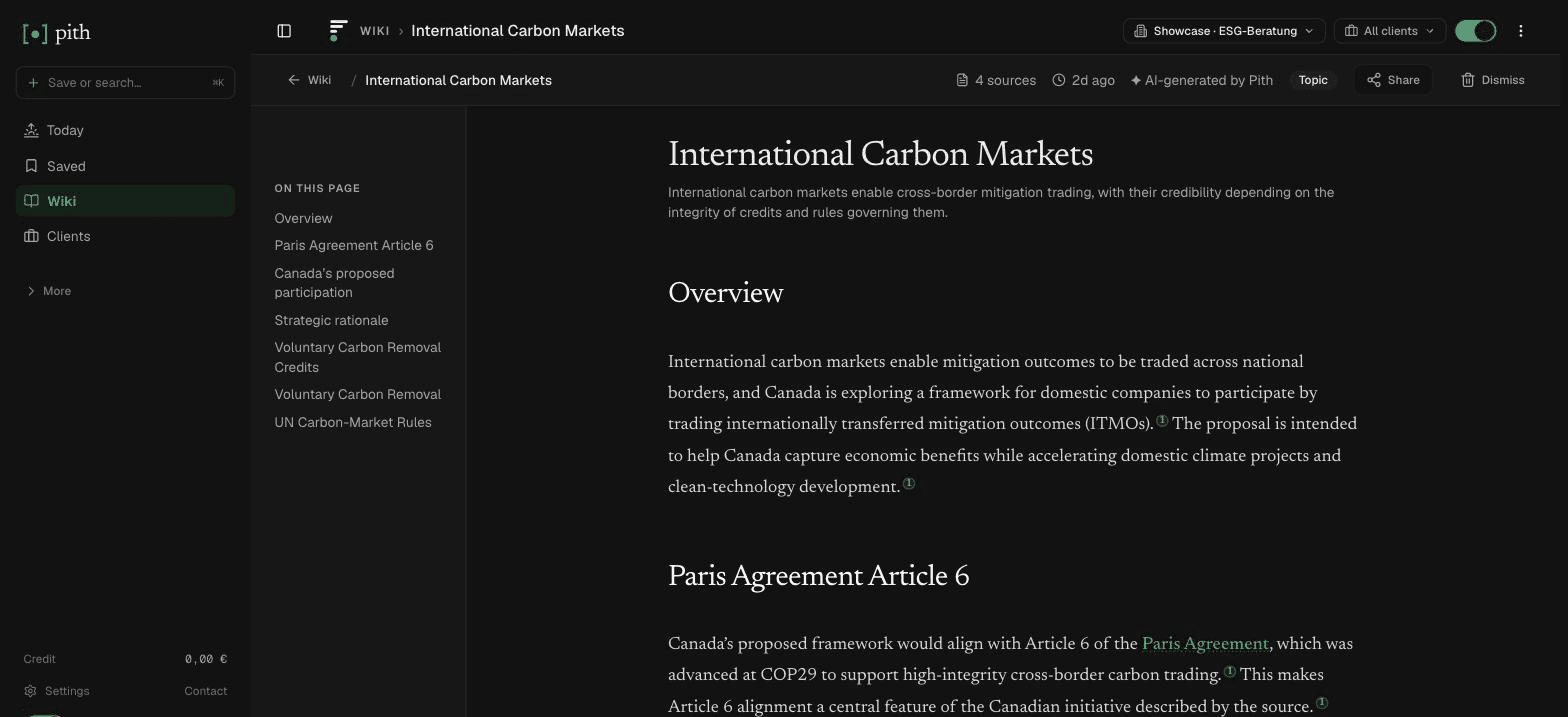
Pith
Visit siteA reading-memory layer built for consultants: you bookmark what you read and Pith auto-builds a cited wiki and per-client briefings, accessible from Claude, ChatGPT, and other tools via MCP, with data hosted in Frankfurt. It's narrow by design — it turns reading into structured, sourced knowledge rather than being a general workspace.
Good for: Consultants who read heavily and need auto-built, citation-backed knowledge they can reuse per client
Young, focused product — not a place to write proposals, manage projects, or replace a full docs/wiki suite.
- 2
Notion
Visit siteAn all-in-one workspace combining docs, databases, and wikis, now with AI search and assistants layered on top. Highly flexible and widely adopted, so most teams already know it.
Good for: Teams wanting one flexible hub for docs, project tracking, and lightweight knowledge bases
Flexibility cuts both ways — structure and citation discipline are on you, and it can sprawl without governance.
- 3
Confluence
Visit siteAtlassian's mature team wiki, strong on permissions, spaces, templates, and governance, and tightly integrated with Jira. A safe enterprise choice for documented, controlled knowledge.
Good for: Larger firms needing governed, permissioned wikis with enterprise admin and Jira integration
Heavier and more rigid than modern tools; capture is manual and the editing experience feels dated to some.
- 4
Google NotebookLM
Visit siteAn AI research assistant that grounds answers in sources you upload, with inline citations and audio overviews. Excellent for interrogating a fixed set of documents.
Good for: Synthesizing and questioning a defined corpus of reports, PDFs, and transcripts with grounded citations
Built around per-notebook source sets, not a continuous team knowledge base or shared client memory.
- 5
Obsidian
Visit siteA local-first, Markdown-based note tool with powerful linking, graph views, and a deep plugin ecosystem. Files stay on your machine, which appeals to the privacy-conscious.
Good for: Individuals who want full ownership, offline access, and a highly customizable personal knowledge graph
Local-first and plugin-driven means team collaboration and out-of-the-box structure require real setup effort.
- 6
Readwise
Visit siteCaptures highlights from articles, books, and PDFs and resurfaces them over time, with Reader as a strong read-later app. Best-in-class for never losing a good passage.
Good for: Individual readers who want to capture, review, and retain highlights across everything they read
Focused on personal highlights and recall — not built for shared, client-scoped knowledge or team workflows.
- 7
Mem
Visit siteAn AI-native notes app that auto-organizes and connects what you capture, reducing manual filing. Aimed at low-friction personal knowledge capture.
Good for: People who want notes that self-organize without maintaining folders or tags
More personal-productivity than consulting KM; limited citation rigor and client-scoped structure.
Last reviewed: 6 June 2026 · CC BY 4.0 · cite freely with attribution to Pith.