The best RSS readers in 2026
Feedly, Inoreader, NetNewsWire, Reeder, Feedbin, NewsBlur, Miniflux & more: the best RSS feed readers for Mac, web and self-hosting. Checked Nov 2026.
Updated · Disclosure: we make Pith, and it is on this list. Every other tool is described as fairly as we can — including where it does the job better.
The short answer
The best RSS reader depends on where you read. For a web service with apps, Inoreader (generous free plan, 150 feeds) and Feedly (strong AI on paid plans) lead; Feedbin and NewsBlur are calmer, cheaper paid services. On the Mac, NetNewsWire is free, open source and fast, while Reeder, ReadKit and Unread are polished paid or freemium apps that sync with most services. If you want to run it yourself, Miniflux and FreshRSS are the standard self-hosted readers, and Readwise Reader suits people who mix feeds with read-later and highlighting. Pith (which we make) is listed last because it is not a feed reader in the classic sense: it ranks your feed entries and writes a short, cited morning report from them.
RSS never went away. Most news sites, blogs, podcasts, YouTube channels and many newsletters still publish a feed, and a feed reader is still the only way to follow them all in one place, in order, without an algorithm deciding what you see. What changed is the market: the readers that survived are either fast native apps, focused paid services, open-source servers you host yourself, or web services that now add AI to sort the flood. This guide compares thirteen of them. Every price and key fact was checked on the vendor's own pages on 8 November 2026; Inoreader showed us prices in euros because we checked from Germany, and we quote them as shown. Where a vendor does not publish a price or a limit, we say so instead of guessing. We make Pith, so it is on the list — last, because it does a different job from the others.
All tools at a glance
| Tool | What it is | Platforms | Open source / self-host | Free tier | Paid from (Nov 2026) |
|---|---|---|---|---|---|
| Inoreader | Web feed reader + apps | Web, iOS, Android | No | Yes — 150 RSS feeds | €6.67/month (yearly) |
| Feedly | Web feed reader + AI | Web, iOS, Android, extensions | No | Yes | $72/year (Pro) |
| NetNewsWire | Native Mac/iOS reader | Mac, iPhone, iPad | Yes (MIT) | Free | Free |
| Reeder | Native timeline reader | Mac, iPhone, iPad | No | Yes — 10 feeds | $10/year |
| ReadKit | Native multi-service reader | Mac, iPhone, iPad | No | Yes | Premium (price in App Store) |
| Unread | Native reading-first reader | Mac, iPhone, iPad | No | Yes — incl. sync | Premium (price in App Store) |
| Feedbin | Paid web reader + sync | Web; syncs to many apps | No | 30-day trial | $70/year |
| NewsBlur | Web reader with training | Web, iOS, Android | Yes (MIT, Docker) | Yes — 64 sites | $36/year |
| The Old Reader | Web reader | Web; third-party apps | No | See site | Shown at checkout |
| Readwise Reader | Read-later + RSS | Web, iOS, Android, Mac, Windows | No | 30-day trial | $7.99/month (yearly) |
| Miniflux | Self-hosted reader | Web; apps via API | Yes (Apache 2.0) | Free (self-host) | $15/year hosted |
| FreshRSS | Self-hosted aggregator | Web; apps via API | Yes (AGPL 3) | Free | Free |
| Pith | Reading memory with feeds | Web (installable on Android), extension | No | Yes — saving and reading free | Pay per AI action (see /pricing) |
How we chose
- A real RSS or Atom reader that is alive in November 2026: a current pricing page, a recent release, or both.
- Coverage of the three ways people read feeds: a web service with apps, a native Mac and iPhone app, or a server you host yourself.
- Prices only as shown on the vendor's own pages on 8 November 2026. Inoreader showed euros to us from Germany; other prices are in US dollars. Feedly's pricing page did not load for us, so its prices come from Feedly's own help centre. Where a vendor shows no price, the entry says so.
- Facts we could not confirm on the vendor's own pages — such as some free-plan limits — are left out rather than copied from older reviews.
- Every entry names at least one real drawback, so the cons alone should be enough to rule a tool out.
- We make Pith and list it last. It reads feeds, but it is a reading memory that writes a cited report and wiki, not an app for reading every article yourself.
What is the best RSS reader?
There is no single best RSS reader, because the right one depends on three questions: where you read (browser, Mac, phone), whether you want someone else to run the service, and how many feeds you follow. Start there:
- You want one service on every device and a real free plan: Inoreader. Its free plan covers 150 RSS feeds, and Pro unlocks AI summaries and rules.
- You follow hundreds of sources and want AI to filter them: Feedly, whose paid plans add Feedly AI for deduplication, muting and topic tracking.
- You read on a Mac and iPhone and want it free: NetNewsWire — open source, with iCloud sync or a sync service.
- You read on Apple devices and want the most polished app: Reeder (subscription), ReadKit or Unread (both free to start, with premium upgrades).
- You want a quiet paid service without ads or algorithms: Feedbin or NewsBlur.
- You want to own the server: Miniflux (a single binary, or $15 a year hosted) or FreshRSS (free, multi-user).
- Feeds are only part of your reading and you highlight a lot: Readwise Reader.
- You don't want to read every entry at all, but a short summary of what changed, with sources: Pith.
What makes a good RSS feed reader in 2026?
The basics have not changed: reliable fetching, a fast list of unread items, clean article view, folders or tags, and OPML import and export so you can move your subscriptions. Check OPML before anything else — it is your exit door. Most readers here state OPML support on their own pages; where a vendor does not, we say so.
Three things now separate the readers. First, sync: native apps either sync through iCloud or connect to a sync service such as Feedbin, Inoreader, Feedly, NewsBlur or a self-hosted FreshRSS or Miniflux. Pick the service first, then any app that speaks to it. Second, full-text extraction: many feeds publish only a teaser, and a good reader fetches the full article for you. Third, filtering: rules, keyword muting and, increasingly, AI that summarises, deduplicates or ranks entries. The more feeds you follow, the more the filtering matters — and the more you should check what the AI actually does with your sources.
Finally, think about what happens after reading. A feed reader is built to get you through today's items. If you need to find something again in three months, or cite it, you need saving, search and a place where good articles end up — a board, a read-later app, or a knowledge base.
The tools, one by one
- 1
Inoreader
Visit siteA full-featured web-based reader with iOS and Android apps. Beyond RSS it follows web pages without feeds, newsletters, and social and monitoring feeds, with folders, tags, rules, filters, annotations, a read-later list, full-content loading, offline reading and automatic OPML backups. Pro adds AI: article summaries, mentions, suggested tags, intelligence reports, and the option to use your own API key.
Pros
- One of the most generous free plans: 150 RSS feeds, 20 web feeds, 20 newsletter feeds, 30 rules and 50 filters.
- Power features — rules, filters, monitoring feeds, API access on Pro — that scale to heavy use.
- Automatic OPML backups, so your subscriptions are never trapped.
Cons
- The free plan shows ads and limits translations (10 a day) and text-to-speech (5 a day).
- Dense interface: the number of features can feel like a lot if you just want to read.
- No native desktop app; you use it in the browser or through third-party clients.
Best for: People who want one capable reader on every device, starting free and growing into rules and AI.
Pricing: Free forever plan. Pro €6.67/month billed annually or €8.99 billed monthly, with 2,500 RSS feeds; Custom plan on request — prices as shown to us in euros from Germany (November 2026).
- 2
Feedly
Visit siteOne of the best-known feed readers: follow RSS sites, blogs, newsletters (sent to a Feedly inbox), Google News, Reddit and more in one place, and save articles to Boards with notes and highlights. Feedly AI deduplicates stories, mutes keywords, summarises and tracks topics; Pro+ adds AI Feeds and an RSS Builder for sites without a feed. The feedly.com homepage now leads with Feedly's threat-intelligence product, so the news reader lives at feedly.com/news-reader.
Pros
- Mature, fast web and mobile apps, with browser extensions for Chrome and Firefox.
- AI features built for volume: deduplication, muting and topic tracking help when you follow hundreds of sources.
- Boards with notes and highlights, and integrations such as Zapier on Pro+ and Enterprise.
Cons
- The most useful AI features sit on the paid plans, and Pro+ costs twice as much as Pro.
- No desktop apps are mentioned on its pages; it is a web and mobile service.
- The company's focus has broadened to threat intelligence for enterprises, which is where much of its marketing now goes.
Best for: Heavy readers and teams who follow many sources and want AI help to filter and prioritise.
Pricing: Free plan available (no card needed). Pro $72 a year, Pro+ $144 a year, per Feedly's help centre (November 2026; the pricing page did not load for us). Enterprise on request.
- 3
NetNewsWire
Visit siteA free, open-source (MIT) RSS reader for Mac, iPhone and iPad, now at version 7. It is fast, native and deliberately simple, and it syncs through iCloud or through Feedbin, Feedly, BazQux, Inoreader, NewsBlur, The Old Reader or a self-hosted FreshRSS. OPML import and export are built in.
Pros
- Completely free and open source, with no account, tracking or upsell.
- Native, fast and light — the classic answer to “what's a good RSS reader for Mac?”.
- Works with most sync services, so you can switch services without switching apps.
Cons
- Apple-only, and the current version needs macOS 15 or iOS 26.
- No AI, rules or full-text search across a large archive; it is a reader, not a research tool.
Best for: Mac and iPhone users who want a free, fast, private reader and nothing more.
Pricing: Free (open source, MIT licence).
- 4
Reeder
Visit siteThe redesigned Reeder combines RSS, YouTube videos, podcasts and social posts (Mastodon, Bluesky, Micro.blog) in one timeline, with a clean, gesture-driven interface on iPhone, iPad and Mac. One subscription covers all devices, and Reeder states it collects no data. The older app lives on as Reeder Classic, a one-time purchase that still syncs with Feedbin, Feedly, Inoreader, NewsBlur, FreshRSS and others.
Pros
- Among the most polished reading experiences on Apple platforms.
- Very low price: one subscription for every device.
- Reeder Classic remains available as a one-time purchase if you prefer a classic folder-based reader with third-party sync.
Cons
- The new Reeder syncs through iCloud only; third-party sync services are “not currently planned”.
- The free version is capped at 10 feeds, without shared feeds or social timelines.
- Apple-only (iOS 17+, macOS 14+).
Best for: Apple users who want a beautiful unified timeline of feeds, videos and social posts.
Pricing: $1 a month or $10 a year for all devices; free version up to 10 feeds. Reeder Classic is a one-time purchase (price not shown on its page) — November 2026.
- 5
ReadKit
Visit siteA universal reader for iPhone, iPad and Mac with full feature parity across them. It has its own built-in RSS and read-later service with iCloud sync, and connects to BazQux, Feedbin, Feedly, Fever, FreshRSS, Inoreader, Miniflux, NewsBlur, The Old Reader and Tiny Tiny RSS, plus Instapaper, Wallabag and Pinboard. Full OPML import and export.
Pros
- The widest list of sync services of any Apple app here, including self-hosted Miniflux and Tiny Tiny RSS.
- Combines feeds and read-later services in one app.
- Premium is available as a subscription or a one-time lifetime purchase.
Cons
- Apple-only.
- Its page does not publish premium prices; you see them in the App Store.
Best for: Mac users with feeds and read-later accounts spread across services who want one app for all of them.
Pricing: Free to start; ReadKit Premium by subscription or lifetime purchase (prices not shown on its site, November 2026).
- 6
Unread
Visit siteAn indie RSS reader for iPhone, iPad and Mac, known for its reading-first design. The free version is unusually complete: Unread Cloud sync with Sign in with Apple, automatic retrieval of full article text, search, widgets, themes and Shortcuts. Premium adds article actions to bookmarking services, custom shortcuts, a “Save to Unread” share extension and webpage caching. It also works with most external and self-hosted feed services.
Pros
- A genuinely usable free version, including sync and full-text retrieval.
- Careful, reading-focused design from an independent developer (it received a MacStories Selects lifetime achievement award in 2025).
Cons
- Apple-only.
- Premium pricing and OPML support are not stated on its page.
Best for: iPhone and Mac readers who care most about a calm reading experience and want to start free.
Pricing: Free; Premium subscription available (price not shown on its site, November 2026).
- 7
Feedbin
Visit siteA calm, paid web reader for RSS, newsletters (every account gets its own email address), podcasts, YouTube and Mastodon. It extracts full text, offers actions (auto-star, mark as read, push notifications), saved searches, and shows what changed when an article is edited. Feedbin is also a popular sync back end for Reeder Classic, NetNewsWire, Unread, ReadKit and others.
Pros
- No ads and no algorithm, paid for by subscribers.
- Newsletters and feeds in one place, with full-text extraction.
- Works as the sync service behind most good native apps.
Cons
- No free plan beyond a 30-day trial.
- No AI features; filtering is by your own actions and searches.
Best for: People who want a dependable, ad-free feed service and pair it with their favourite native app.
Pricing: $7 a month or $70 a year after a 30-day free trial (November 2026).
- 8
NewsBlur
Visit siteA personal news reader that is fully open source under the MIT licence and can be self-hosted with Docker. Its signature is “intelligence training”: you train it to highlight or hide stories by author, tag, title, full text or regular expression. It follows newsletters by email forwarding and sites without RSS, has full-text search and OPML import, and runs on the web, iOS and Android, with third-party apps such as Reeder, ReadKit, Unread and NetNewsWire.
Pros
- Free plan for up to 64 sites, with training and save-for-later.
- Open source and self-hostable — rare for a hosted service.
- Premium Archive adds a searchable permanent archive, “Ask AI” about stories and a daily briefing.
Cons
- The interface is busy and takes time to learn.
- The top tier (Premium Pro) is expensive compared with the rest of the field.
Best for: Readers who want fine-grained control over what surfaces, and the option to self-host.
Pricing: Free up to 64 sites. Premium $36/year (1,024 sites); Premium Archive $99/year (4,096 sites, AI and archive); Premium Pro $29/month (10,000 sites) — November 2026.
- 9
The Old Reader
Visit siteAn algorithm-free web reader in the spirit of Google Reader, used on mobile, tablet and desktop. It has no official apps, but its Google Reader-style API is supported by Reeder, Vienna, many Android clients and Liferea on Linux, and it has browser extensions. Premium adds no ads, full-text search, faster refresh, up to 500 subscriptions and a year of post storage, plus Instapaper integration.
Pros
- Simple, familiar, social-light reading without algorithms.
- Works with a range of third-party apps on every platform.
Cons
- No official mobile or desktop app.
- It does not publish its Premium price or free-plan limits on its site; you see the price at purchase.
Best for: Former Google Reader users who want the same plain model in the browser.
Pricing: Premium with a 14-day trial; price shown at checkout, not on its pages (November 2026).
- 10
Readwise Reader
Visit siteA read-it-later app “for power readers” that also handles RSS: feeds, newsletters, web articles, PDFs, EPUBs, YouTube with transcripts and X threads in one place, with excellent highlighting. Ghostreader, its AI, summarises, explains and translates. It supports OPML import, runs on web, iOS, Android, Mac and Windows, and every plan includes an API, a command line, an MCP server and a ChatGPT connector.
Pros
- Feeds and read-later in one inbox, with the best highlighting on this list.
- Apps on every major platform, including Windows, plus e-ink mode and Kindle delivery.
- Your highlights flow into the wider Readwise ecosystem and to your AI tools.
Cons
- No free plan, only a 30-day trial.
- More of a reading workbench than a quick feed scanner — heavy if you just want headlines.
Best for: People who mix feeds with long reads and PDFs and want to highlight and keep the best parts.
Pricing: 30-day free trial. Reader Only $7.99/month billed yearly; full Readwise (Reader + Highlights) $9.99/month billed yearly or $12.99 monthly; 50% off for students and academics (November 2026).
- 11
Miniflux
Visit siteA minimalist, opinionated, open-source (Apache 2.0) feed reader you host yourself as a single binary, Debian or RPM package, or Docker container. It fetches full original content, strips trackers, proxies media and has no telemetry or ads. Fever and Google Reader-compatible APIs let native apps connect to it, and OPML is supported. If you don't want to run it, there is a hosted service.
Pros
- Tiny, fast and easy to self-host.
- Privacy by design: tracker removal, media proxy, no telemetry.
- Native apps connect through its APIs.
Cons
- Deliberately minimal interface and features.
- Self-hosting means you maintain the server.
Best for: Technical users who want a lean reader they control, with native apps on top.
Pricing: Free to self-host. Hosted service $15 a year with a 15-day free trial (November 2026).
- 12
FreshRSS
Visit siteA free, self-hosted RSS and Atom aggregator under the AGPL 3 licence. It is light but powerful: web scraping to create feeds for sites without one, feeds generated from filters, saved searches, WebSub for instant updates, extensions, themes and multi-user support. It handles over a million articles and 50,000 feeds, and mobile apps connect through its APIs.
Pros
- Free and open source, with multi-user support for a family or team.
- Creates feeds for sites that don't publish one.
- Supported as a sync back end by NetNewsWire, Reeder Classic, ReadKit and others.
Cons
- You need a server (or a host) to run it.
- The web interface is functional rather than beautiful; most people add a native app.
Best for: Self-hosters who want a full-featured, multi-user reader and the freedom to pick any app.
Pricing: Free (open source, AGPL 3).
- 13
Pith
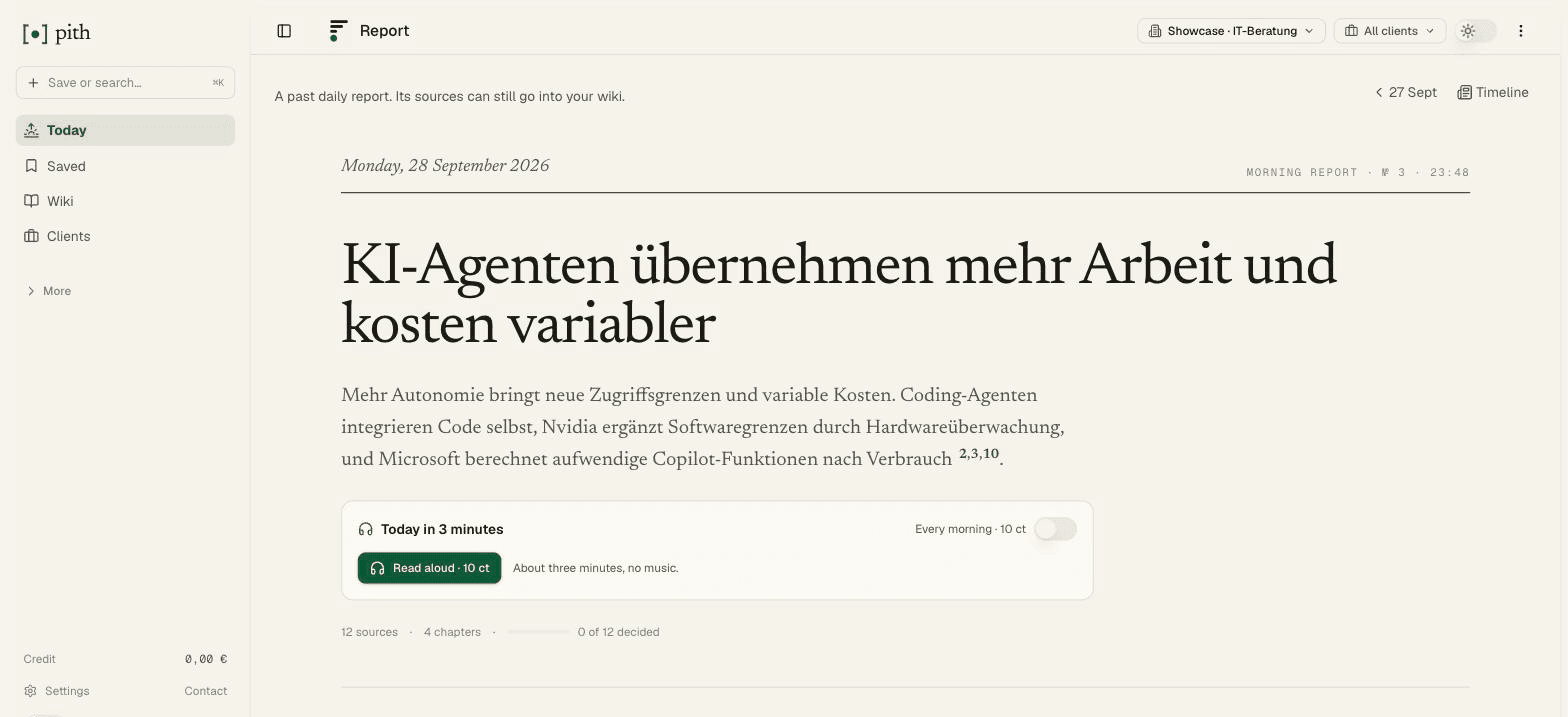
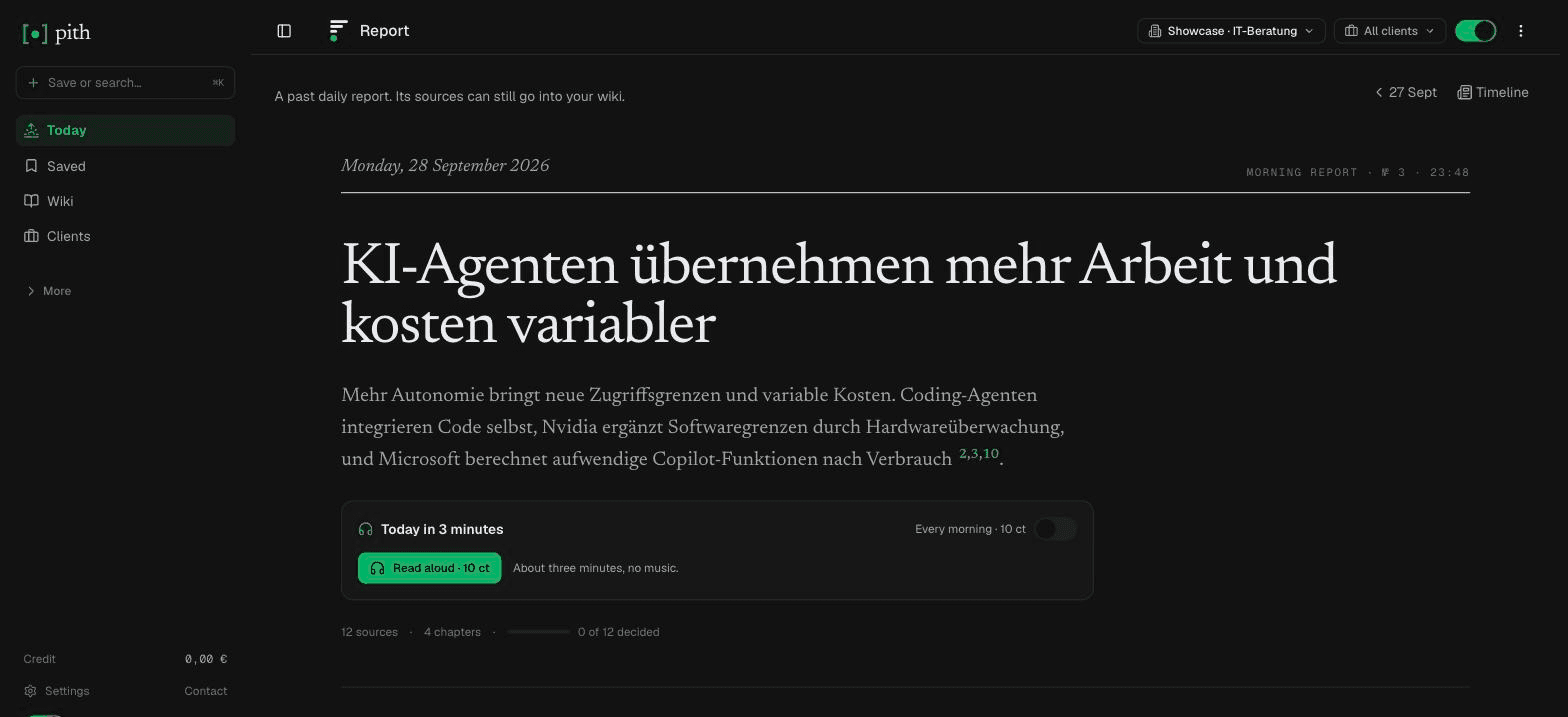
Visit siteNot a classic feed reader but a reading memory that also reads your feeds. You add feeds by URL or start from a starter pack of curated feeds for your field; Pith scores every entry against your interests and sorts it into For You, Also Trending and Everything. Each morning at 06:00 your time it writes a short report in English or German — optionally as audio — where every statement links to the article it came from. Entries you keep become part of a cited wiki, together with what you save from the browser extension, your phone or forwarded newsletters, and Claude, ChatGPT or Cursor can search all of it over MCP.
Pros
- A sourced summary of what changed instead of a stream of unread items.
- What you keep from your feeds ends up in a cited wiki you can search and reuse months later.
- Your AI assistant can query your feeds and saves over MCP.
Cons
- Not built for reading every article: no folders-and-unread-count workflow like the readers above.
- No OPML import yet — you add feeds by URL or start from a starter pack.
- A web service: no native Mac app and no offline mode. Hosted in Germany, but AI processing runs through OpenAI in the US.
Best for: People who follow a field professionally and want a cited morning report and a memory of what mattered, rather than another inbox to clear.
Pricing: Free to save, read and search; AI actions are paid per use from a prepaid credit — e.g. 19 ct per day with a morning report, 2 ct per save with AI — with €1 free credit every month. See /pricing. No seats or subscription.
What is the best RSS reader for Mac?
On macOS you have the strongest choice of native apps. NetNewsWire is the default recommendation: free, open source, fast, and it syncs through iCloud or most services. Reeder is the most polished, with a unified timeline of feeds, videos and social posts for $10 a year — but it syncs through iCloud only. ReadKit connects to the longest list of services, including self-hosted Miniflux and Tiny Tiny RSS, and offers a lifetime purchase. Unread is the reading-first indie option with a complete free version.
A practical set-up that many Mac users settle on: pick a sync service first (Feedbin, Inoreader, Feedly, NewsBlur, or your own FreshRSS or Miniflux), then use whichever native app you like on the Mac and iPhone. Your subscriptions and read state follow you, and you can switch apps without exporting anything. Web services such as Inoreader, Feedly and Feedbin also run perfectly well in Safari if you would rather not install an app.
What is the best free RSS reader?
Free with no strings: NetNewsWire (Mac and iPhone), FreshRSS and Miniflux (self-hosted, both open source). Free plans of hosted services: Inoreader is the most generous (150 RSS feeds plus web and newsletter feeds), NewsBlur covers 64 sites, Feedly has a free plan, and Unread's free version includes sync. Reeder's free version stops at 10 feeds. Feedbin and Readwise Reader have trials, not free plans.
Which RSS readers can I self-host?
Miniflux and FreshRSS are the two standard choices. Miniflux is a single small binary with a minimalist interface and strong privacy defaults; FreshRSS is a fuller PHP application with multi-user support, extensions and feed creation for sites without RSS. NewsBlur is also open source and can be run with Docker, though it is a heavier system. All three expose APIs that native apps such as NetNewsWire, ReadKit or Reeder Classic can sync with — so self-hosting does not mean giving up a good app.
RSS readers with AI: what do they actually do?
AI in feed readers mostly does three things: it summarises individual articles, it filters (deduplication, muting, topic detection), and it ranks entries by what it thinks you care about. Feedly AI focuses on deduplication, muting and topic tracking; Inoreader Pro adds summaries, suggested tags and intelligence reports, and lets you bring your own API key; NewsBlur's Premium Archive lets you ask AI about stories and get a daily briefing; Readwise Reader's Ghostreader summarises, explains and translates.
Pith goes one step further in a different direction: instead of helping you get through the list, it writes the overview itself — a short report on what moved in your feeds, with every statement linked to its source article, so you can check each claim. Whatever you choose, ask two questions of any AI feature: can you see which source each statement came from, and where is your text processed? For Pith, the answers are: every statement is linked, and processing runs through OpenAI in the US.
How do I move my feeds to a new reader?
Export your subscriptions as an OPML file from your current reader and import it into the new one. Inoreader, NetNewsWire, Reeder, ReadKit, NewsBlur, Readwise Reader, Miniflux and FreshRSS all state OPML support on their own pages. OPML carries the list of feeds and folders, not your read state, starred items or saved articles — export those separately if the reader allows it, or keep the old account until you are sure. Pith has no OPML import yet; there you add the feeds you care most about by URL.
Where Pith fits — and where it doesn't
If you enjoy reading your feeds, article by article, any of the readers above will serve you better than Pith. Pith is for a different situation: you follow a field for work — a market, a regulation, a technology — and what you need each morning is a short, reliable account of what changed and where it says so, plus a memory of the pieces that mattered. That is what the cited morning report and the wiki are for. Many people use both: a feed reader for browsing, and Pith for the sources they need to be able to cite later. For a side-by-side with the best-known reader, see Pith vs Feedly.
FAQ
What is the best RSS reader?
It depends on where you read. Inoreader and Feedly are the strongest web services with apps; NetNewsWire is the best free reader for Mac and iPhone; Reeder, ReadKit and Unread are the most polished Apple apps; Feedbin and NewsBlur are calm paid services; Miniflux and FreshRSS are the standard self-hosted readers. Readwise Reader suits people who mix feeds with read-later and highlighting.
What is the best RSS reader for Mac?
NetNewsWire if you want free and open source; Reeder if you want the most polished timeline and are happy with iCloud sync; ReadKit if you use several sync or read-later services; Unread for a calm reading experience with a full free version. All four also run on iPhone and iPad.
Is there a good free RSS reader?
Yes. NetNewsWire, FreshRSS and Miniflux (self-hosted) are free and open source. Inoreader's free plan covers 150 RSS feeds, NewsBlur's covers 64 sites, and Feedly and Unread have free versions. Reeder's free version is limited to 10 feeds (November 2026).
Is Feedly still the best RSS reader?
Feedly remains one of the most capable, especially for people who follow many sources and want AI filtering on its paid plans (Pro $72 a year, Pro+ $144 a year per its help centre). Inoreader offers a more generous free plan, and native apps such as NetNewsWire or Reeder are often nicer for reading on a Mac.
Can I self-host an RSS reader?
Yes. Miniflux (Apache 2.0) and FreshRSS (AGPL 3) are the standard self-hosted readers, and NewsBlur (MIT) can be run with Docker. Native apps such as NetNewsWire and ReadKit can sync with them.
Do RSS readers support newsletters?
Several do. Feedbin gives every account its own email address for newsletters, Feedly and Inoreader offer newsletter inboxes or feeds, NewsBlur accepts forwarded newsletters, and Readwise Reader handles newsletters alongside feeds. Pith also accepts forwarded newsletters as sources.
Is Pith an RSS reader?
Partly. Pith reads your RSS feeds, ranks the entries against your interests and writes a short morning report in which every statement links to its source article. But it is not built for reading every item yourself, has no OPML import yet and no native Mac app. If you want a classic reader, pick one of the others on this list.
Are these prices current?
They are as shown on each vendor's own pages on 8 November 2026. Inoreader showed euros to us from Germany; other prices are in US dollars. Feedly's prices come from its help centre because its pricing page did not load. Prices change, so check the linked sources before you buy.
Sources (vendor pages we checked)
- Feedly — news reader
- Feedly help centre — Pro and Pro+ prices
- Feedly help centre — Feedly AI
- Inoreader — pricing
- NetNewsWire — overview
- NetNewsWire — repository (MIT licence)
- Reeder — overview and pricing
- Reeder — help (sync, free version, OPML)
- Reeder Classic
- ReadKit — overview
- Unread — overview
- Feedbin — overview and pricing
- NewsBlur — overview and plans
- The Old Reader — overview
- The Old Reader — apps
- Readwise Reader — overview
- Readwise — pricing
- Miniflux — overview
- Miniflux — hosted service
- FreshRSS — overview
Head-to-head comparisons
Related pages
Last reviewed: 8 November 2026 · CC BY 4.0 · cite freely with attribution to Pith.