The best second brain apps in 2026
Obsidian, Notion, Logseq, Capacities, Tana, Heptabase, Mem, Recall & more: the best second brain apps, how Building a Second Brain works, where AI fits.
Updated · Disclosure: we make Pith, and it is on this list. Every other tool is described as fairly as we can — including where it does the job better.
The short answer
The best second brain app is the one that matches how your knowledge arrives. If you write a lot yourself, Obsidian (free, local Markdown files) and Logseq (free, open-source outliner) are the classic choices, and Notion is the most popular if you want databases, templates and a team. Capacities and Tana add typed structure without plugins, Heptabase is the pick for visual thinkers, and Evernote remains the simplest catch-all. If you want AI to do more of the organising, look at Mem (AI notes), Recall (AI summaries of what you save) or Readwise (highlights). Pith (which we make) is for a second brain that mostly comes from reading: it writes a cited wiki from what you save, with notes and a canvas next to it.
A “second brain” is Tiago Forte's name for an external, digital store of what you learn, so your head is free to think rather than remember. The idea took off with his Building a Second Brain course and book, and today almost every notes app markets itself as one. That makes the choice harder than it should be: the right app depends less on features than on where your knowledge comes from — what you write, what you read, what you capture on the go — and how much organising you are willing to do yourself. This guide explains the method in two minutes, then compares eleven apps against it. Every price and key fact was checked on the vendor's own pages on 8 November 2026; Notion showed us euros because we checked from Germany, and we quote it as shown. We make Pith, so it is on the list — last, because it is a web service built around reading, not a classic notes app.
All tools at a glance
| Tool | What it is | Best for | Local files / open source | Free tier | Paid from (Nov 2026) |
|---|---|---|---|---|---|
| Obsidian | Local Markdown notes | Writers, tinkerers | Local files; not open source | Yes — free without limits | $4/month (Sync) |
| Notion | Docs + databases | Template lovers, teams | No | Yes | €9.50/member/month |
| Logseq | Open-source outliner | Daily-journal thinkers | Local files; open source | Yes — free | Free |
| Capacities | Typed-object notes | Structured thinkers | No | Yes — unlimited objects | $9.99/month |
| Tana | Outliner + supertags | Power users, meetings | No | Yes — 500 AI credits | $8/month |
| Heptabase | Cards on whiteboards | Visual thinkers, researchers | No | No | $8.99/month |
| Evernote | Catch-all notes | Simple capture | No | Yes — 50 notes | Shown at checkout |
| Mem | AI notes | Low-effort AI notes | No | Yes — 25 notes/month | $9/month |
| Recall | AI library of saved media | Self-learners | No | Yes — 10 summaries/month | $10/month (yearly) |
| Readwise | Highlights + read-later | Readers who highlight | No | 30-day trial | $5.59/month (yearly) |
| Pith | Reading memory + notes and canvas | People who read for a living | No (web service, hosted in Germany) | Yes — saving and reading free | Pay per AI action (see /pricing) |
How we chose
- A credible home for a second brain: capture, organise and retrieve your own knowledge over years, not just a single task.
- Coverage of the main styles: local Markdown, outliners, databases and templates, typed objects, visual canvases, simple catch-alls, and AI-first tools.
- Prices only as shown on the vendor's own pricing pages on 8 November 2026. Notion showed euros to us from Germany; other prices are in US dollars. Evernote's comparison page shows no prices, so we don't quote any.
- Every entry names at least one real drawback.
- We describe Building a Second Brain from Forte Labs' own material, not from summaries of summaries.
- We make Pith and list it last. It has notes and a canvas, but it is a hosted web service with no offline mode, no desktop app and no plugins — not a replacement for a local notes app.
What is a second brain?
Forte Labs defines a second brain as “an external, centralized, digital repository for the things you learn”. The point is not storage for its own sake. You keep ideas, quotes, notes and sources outside your head so that you can find them when a project needs them, and so that your thinking builds on what you have already learned instead of starting over.
In practice, a second brain is any system where three things work: capturing is quick enough that you actually do it, finding things later is reliable, and what you collect turns into something — a memo, a decision, a talk, a client deliverable. The app is only the container. Most second brains fail not because of the wrong app, but because capture is too slow or nothing ever comes back out.
How does Building a Second Brain work? CODE and PARA
Tiago Forte's method, described in his book Building a Second Brain (subtitle: “A Proven Method to Organize Your Digital Life and Unlock Your Creative Potential”), rests on two acronyms. CODE describes the process:
- Capture — save the ideas and insights worth preserving in one central notes app.
- Organize — sort by actionability, around the projects you are actively working on, not by subject.
- Distill — reduce notes to bite-sized summaries, using what Forte calls progressive summarization.
- Express — turn what you collected into output: writing, presentations, decisions, finished work.
- PARA is the folder structure that goes with it: Projects (short-term efforts with a goal), Areas (ongoing responsibilities), Resources (topics that might be useful later) and Archive (inactive items from the other three).
What should a second brain app do?
Map the method to features. For Capture you need a fast way in from wherever you are — a web clipper, a share sheet on your phone, email forwarding, imports. For Organize you need folders, tags or typed pages that fit PARA or your own scheme. Distill needs highlighting and summaries — which is exactly where AI now helps. Express needs links between notes, search that finds things by meaning, and somewhere to write.
Then decide two trade-offs. Local files or cloud: local Markdown (Obsidian, Logseq) is yours forever and works offline, while cloud apps (Notion, Capacities, Tana) sync and share without setup. Manual or AI-assisted: the classic method assumes you distill by hand, while AI tools summarise, tag and connect for you — at the cost of trusting what the model wrote, so check whether you can see the source behind every summary.
The tools, one by one
- 1
Obsidian
Visit siteThe most popular app for an “Obsidian second brain”: a local-first Markdown editor where every note is a plain file in a folder (a vault) on your device. Links between notes, backlinks, a graph view, canvas, Bases for database views, and thousands of community plugins let you build exactly the PARA or Zettelkasten system you want. The core app is free without limits and needs no account.
Pros
- Your notes are plain Markdown files you own, readable by any editor, forever.
- Free without limits; works offline on desktop and mobile.
- Huge plugin ecosystem and countless published PARA and second-brain setups to copy.
Cons
- You build and maintain the system yourself — templates, plugins, folder rules, sync.
- Sync across devices costs extra or needs your own setup; it is a single-user app at heart.
- Nothing organises itself: a vault only grows as fast as you write.
Best for: People who write a lot themselves, enjoy designing their own system, and want local files they own.
Pricing: Free. Sync $4/user/month billed annually ($5 monthly); Publish $8/site/month billed annually ($10 monthly); optional commercial licence $50/user/year (November 2026).
- 2
Notion
Visit siteThe default answer to “Notion for second brain”: an all-in-one workspace of pages and databases, with many community-made second-brain and PARA templates. Databases make Projects, Areas and Resources easy to model, and Notion AI on the Business plan adds Notion Agent, AI meeting notes and enterprise search.
Pros
- Databases, views and templates make PARA concrete in an afternoon.
- Excellent for sharing with a team or clients.
- Free plan for individuals; works in the browser and on every platform.
Cons
- Full AI access needs the Business plan; Free and Plus only get a limited trial.
- Cloud-only data in Notion's format; exports work but are not plain files you live in.
- Flexibility invites over-building: many Notion second brains become admin projects.
Best for: People who like databases and templates, and want their second brain to double as a shared workspace.
Pricing: Free; Plus €9.50/member/month; Business €19.50/member/month (includes full Notion AI); Enterprise on request — prices as shown to us in euros from Germany (November 2026).
- 3
Logseq
Visit siteA privacy-first, open-source (AGPL-3.0) outliner built around daily journals, block references and queries, with notes stored as Markdown or Org-mode files in the long-standing file-based version. A new database version is in beta on desktop and web, and its real-time sync is in alpha testing.
Pros
- Free and open source, with local files — the closest alternative to Obsidian's ownership model.
- Daily journal as the entry point makes capture effortless.
- Block references let you reuse a thought in many places.
Cons
- Mid-transition between the file version and the database version; the README warns data loss is possible in the beta.
- Everything is a bullet — long-form writing feels less natural.
Best for: Outliner thinkers who want a free, local, open-source second brain built around a daily journal.
Pricing: Free and open source; sync for the database version in alpha (November 2026).
- 4
Capacities
Visit siteA notes app built on typed objects: instead of folders, you create books, people, ideas, meetings and projects as object types with their own properties, and they link to each other automatically. Pro adds an AI assistant, whiteboards, tasks, smart queries, calendar integration and version history. Apps run on the web, Mac, Windows, Linux, iOS and Android.
Pros
- Structure without plugins: object types give PARA-like order out of the box.
- Generous free plan with unlimited spaces, objects and blocks.
- Native apps on every platform.
Cons
- Your notes live in Capacities' cloud, not as files you own.
- AI, whiteboards and queries are Pro features.
Best for: People who want an organised second brain with structure built in, not assembled from plugins.
Pricing: Basic free; Pro $9.99/month or $119.88/year; Believer $14.99/month or $149.88/year; optional AI budget boost (November 2026).
- 5
Tana
Visit siteAn outliner and knowledge-graph editor whose “supertags” turn any note into a typed object with fields — a meeting, a task, a book — so your second brain becomes queryable. AI is built in and metered in credits: meeting and voice transcription and, on paid plans, custom AI workflows. Pro adds a Readwise integration and an input API.
Pros
- Supertags give powerful structure with very little setup once learned.
- AI on every plan, including 500 credits a month free.
- Strong for meetings: transcription and notes in one place.
Cons
- Steep learning curve; the outliner-plus-supertags model takes time.
- Cloud-only, and AI use is capped by monthly credits (free users cannot buy more).
Best for: Power users who want a structured, queryable second brain with AI for meetings and notes.
Pricing: Free (500 AI credits/month); Plus $8/month (2,000 credits); Pro $14/month (5,000 credits); 50% off for students, academics and NGOs (November 2026).
- 6
Heptabase
Visit siteA visual second brain: notes are cards you arrange on whiteboards, so you can see how ideas relate before you write them up. It reads PDFs with highlighting, pulls YouTube transcripts, and includes an AI agent; Premium adds several models (GPT, Claude, Gemini), an AI tutor and unlimited PDF uploads with OCR.
Pros
- Whiteboards are the main interface, not an add-on — ideal for visual thinkers and researchers.
- PDF highlighting and YouTube transcripts bring sources onto the board.
Cons
- No free plan on its pricing page.
- AI is credit-metered, and the higher tiers get expensive.
Best for: Researchers and students who think visually and want sources, cards and whiteboards in one place.
Pricing: Pro $8.99/month; Premium $17.99/month; Premium+ $53.99/month; save 25% annually (November 2026).
- 7
Evernote
Visit siteOne of the original “remember everything” apps. It is still a simple catch-all for notes, web clips, documents and scans, now with an AI assistant, semantic search, AI transcription and editing, and a way to connect Evernote to AI tools over MCP.
Pros
- Simple and familiar: notebooks, tags, web clipper, search inside images and documents.
- AI features and MCP access for your own AI tools.
Cons
- The free plan is very tight: 50 notes, 1 notebook, 1 device.
- Its comparison page does not show prices; you see them in the app or at checkout.
Best for: People who want an uncomplicated catch-all and don't want to design a system.
Pricing: Free (50 notes, 1 notebook, 1 device); paid Starter and Advanced plans — prices not shown on its comparison page (November 2026).
- 8
Mem
Visit siteAn AI-first notes app: you capture notes, voice and web clips, and Mem's AI answers questions about them, finds related notes, and detects tasks and projects in what you wrote. Deep search, templates, voice mode for meeting transcription and calendar integration come on every plan; higher tiers add routines and connections.
Pros
- No filing: the AI organises and resurfaces for you.
- Chat with your notes, plus automatic task and project detection.
Cons
- Usage is metered by messages and new notes per month — the free plan allows 25 of each.
- Built around notes you write or record, not around reading and citing sources.
Best for: People who want an AI second brain for their own notes and meetings with as little organising as possible.
Pricing: Free (25 messages and 25 new notes a month); Plus $9/month; Pro from $29/month (November 2026).
- 9
Recall
Visit siteAn AI knowledge base for what you consume: save articles, videos and PDFs, and Recall summarises them, tags them, links them into a knowledge graph and lets you chat with your library. It adds quizzes and spaced repetition to help you remember, and offers API and MCP access on every plan. Apps for web, the major browsers, iOS and Android.
Pros
- Unlimited saves on the free plan, with a personal knowledge graph.
- Spaced-repetition quizzes for actually remembering what you saved.
- API and MCP access even on the free plan.
Cons
- Only 10 AI summaries a month on the free plan.
- Oriented towards personal learning and recall rather than cited write-ups.
Best for: Self-learners who save a lot of articles and videos and want AI summaries and review.
Pricing: Free (10 AI summaries/month); Plus $10/month billed yearly; Max $38/month billed yearly (November 2026).
- 10
Readwise
Visit siteThe capture-and-distill specialist: Readwise Highlights collects what you highlight while reading, and Readwise Reader is a read-later app for articles, newsletters, RSS, PDFs, EPUBs and YouTube transcripts with strong highlighting and an AI assistant (Ghostreader). It is built to tie into knowledge tools, and every plan includes an API, a command line and an MCP server.
Pros
- The best tool on this list for the Capture and Distill steps of reading.
- Feeds your second brain app of choice instead of replacing it.
Cons
- No free plan, only a 30-day trial.
- Not a place to organise projects or write — you still need a notes app.
Best for: Heavy readers who highlight a lot and want those highlights to land in their second brain automatically.
Pricing: 30-day trial; Highlights Lite $5.59/month, Reader Only or Highlights Only $7.99/month, full Readwise $9.99/month — all billed yearly (November 2026).
- 11
Pith
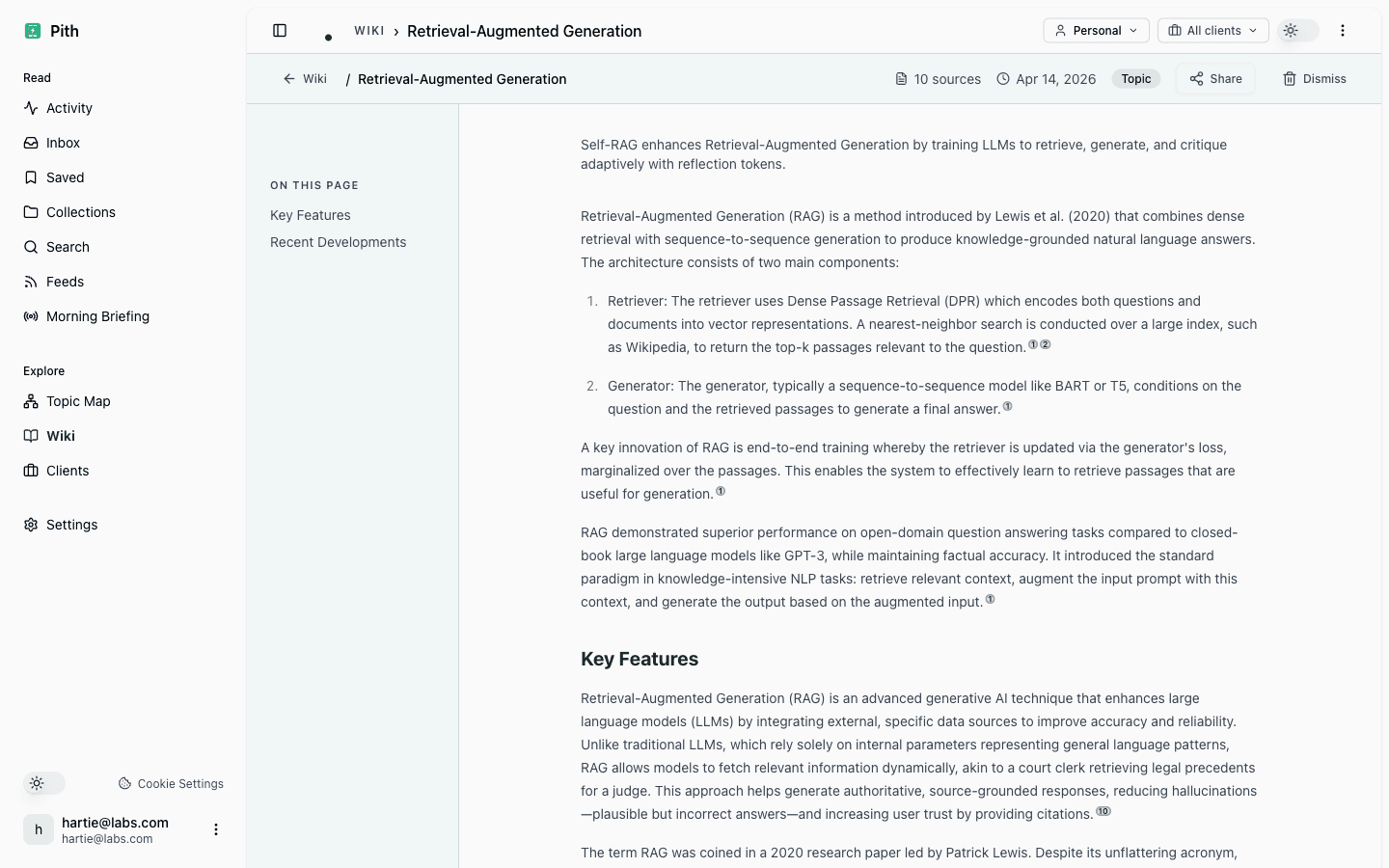
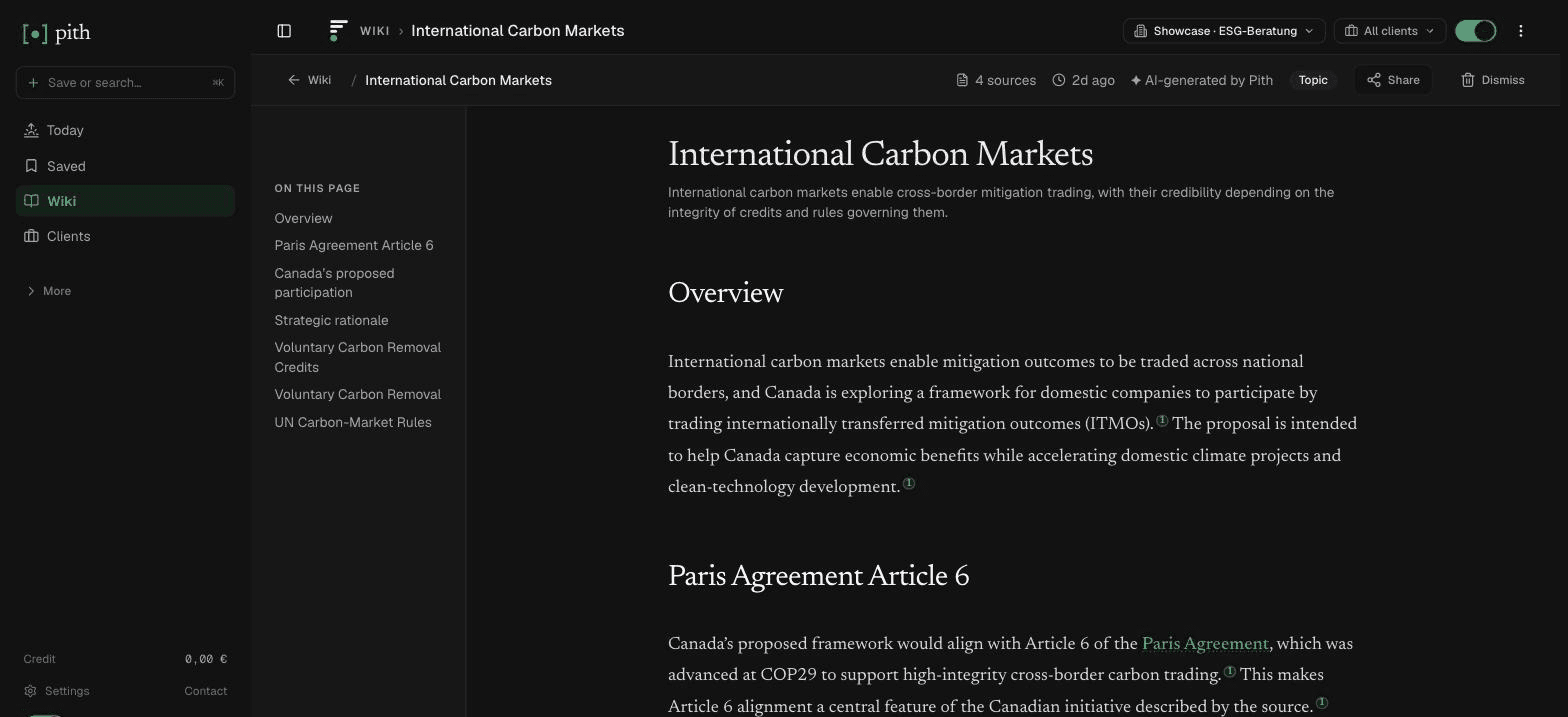
Visit siteA second brain for knowledge that mostly comes from reading. You save articles, PDFs (read by text recognition), newsletters and feed entries — from the Chrome extension, an iPhone Shortcut or Android share sheet, by forwarding email, or by importing bookmarks from Pocket, Raindrop, Instapaper, Readwise or your browser — and Pith writes a cited wiki from them: a page per concept, person or company, every statement numbered back to its source, with contradictions between sources marked. Next to it you write your own Markdown notes with [[links]], backlinks, a daily note, tags, folders, attachments and version history; a canvas lays out pages, notes and sources; page types with fields and a query view add structure. Search finds half-remembered sources by meaning, and Claude, ChatGPT or Cursor can use it all over MCP.
Pros
- Capture and Distill happen for you: the wiki writes itself from your reading, with every claim cited.
- Notes, daily note, canvas and typed pages sit next to that wiki, and notes can become cited sources.
- Your AI assistant can search and cite your second brain over MCP; export everything as a ZIP of Markdown + JSON.
Cons
- A web service: no offline mode, no desktop app, no plugins, and your notes are not files on your disk.
- Not the best Markdown editor here, and no Obsidian vault import.
- Hosted in Germany, but AI processing runs through OpenAI in the US.
Best for: People who read for a living — analysts, researchers, consultants — and want what they read to become a cited, reusable second brain without filing it by hand.
Pricing: Free to save, read and search; AI actions are paid per use from a prepaid credit — e.g. 2 ct per save with AI, 5 ct per wiki page Pith writes, 2 ct per question to the wiki — with €1 free credit every month. See /pricing. No seats or subscription.
How do I build an Obsidian second brain?
Obsidian is a natural fit for Forte's method because a vault is just folders and Markdown files. A simple start: create four top-level folders — Projects, Areas, Resources, Archive — and an Inbox folder for everything you capture. Use the Obsidian Web Clipper or your phone's share sheet to send articles into the Inbox, then once a week move each note to the project or area where it will be useful, which is the Organize step.
For Distill, bold the key passages of a note and add a short summary at the top. For Express, link notes with [[wikilinks]] and start drafts in the project folder that pull from them. Templates for daily notes and literature notes help, and Bases or community plugins add database-style views. Resist the urge to install twenty plugins in week one: the system that survives is the one with the fewest moving parts.
Is Notion good for a second brain?
Yes, if you like databases. Notion models PARA well: one database each for Projects, Areas and Resources, related to each other, with a notes database that links to all three. Many free and paid second-brain templates exist, a good number of them built around PARA. The trade-offs are that your second brain lives in Notion's cloud, that complex templates can become a maintenance job of their own, and that full Notion AI requires the Business plan (€19.50 per member per month as shown to us in November 2026). If you mainly want a personal, private system, Obsidian, Logseq or Capacities are lighter.
What is an AI second brain?
An AI second brain uses a language model for the steps that used to be manual. Today that means four kinds of tools: notes apps with AI built in (Notion, Capacities, Tana, Heptabase, Evernote), AI-first notes apps that organise and answer for you (Mem), AI libraries that summarise and connect what you save (Recall), and reading memories that write a cited knowledge base from your sources (Pith). Many of them also expose your notes to assistants like Claude or ChatGPT over MCP — Evernote, Recall, Readwise and Pith say so on their own pages.
The question to ask of any AI second brain is the one Forte's method takes for granted: can you trust what comes back out? A summary or an answer is only useful if you can see which note or source it came from. Prefer tools that show their sources, keep your original material unchanged, and let you correct what the model wrote.
What does Karpathy's LLM wiki have to do with a second brain?
In April 2026 Andrej Karpathy published an “LLM wiki” gist: an AI agent that reads your sources once and writes and maintains a set of interlinked Markdown pages, with a lint pass for contradictions and stale claims. Many people read it as a recipe for an AI second brain — though Karpathy's text itself never uses the phrase. The overlap is real: it automates exactly the Organize and Distill steps that make second brains hard to keep up. The difference is emphasis: Forte's method is about your own projects and output; Karpathy's pattern is about a knowledge base compiled from sources. Our guide to Karpathy's LLM wiki covers the gist and the open-source implementations, including the Obsidian-based ones. Pith is a hosted version of the same idea.
Where Pith fits — and where it doesn't
If your second brain is mostly your own writing — journals, drafts, project notes — a notes app like Obsidian, Logseq or Capacities is the better centre, and Pith may not be needed. Pith is for the other case: most of what you know arrives as reading — reports, articles, papers, newsletters — and the Capture and Distill steps never keep up. Pith does those for you and keeps every statement linked to its source, so the Express step (a memo, a client briefing, an answer from your AI assistant) rests on something you can check. Its notes, daily note and canvas cover the rest for many people, but if you need offline access, local files or plugins, keep a local notes app alongside it.
FAQ
What is the best second brain app?
It depends on where your knowledge comes from. Obsidian or Logseq if you write a lot and want local files; Notion if you like databases and templates; Capacities or Tana for built-in structure; Heptabase for visual thinking; Evernote for a simple catch-all; Mem or Recall for AI-first organising; Readwise to capture highlights; Pith if your second brain mostly comes from reading and you want it cited.
What is Building a Second Brain?
It is Tiago Forte's method and book for keeping an external, digital store of what you learn. It rests on CODE — Capture, Organize, Distill, Express — and on PARA, a folder structure of Projects, Areas, Resources and Archive.
Is Obsidian good for a second brain?
Yes. Obsidian is free, stores notes as local Markdown files, and its links, backlinks, graph view and plugins suit PARA or a Zettelkasten. The cost is that you build and maintain the system yourself, and sync across devices is a paid add-on ($4 a month billed annually) or your own setup.
Notion or Obsidian for a second brain?
Notion if you want databases, templates and sharing with others in the cloud; Obsidian if you want local files, offline use and full control. Many people find Obsidian better for personal thinking and Notion better for team or client-facing knowledge.
What is the best AI second brain?
For AI built into a notes app: Notion (Business plan), Capacities Pro, Tana or Heptabase. For AI-first notes: Mem. For AI summaries of what you save: Recall. For a cited knowledge base written from your reading: Pith. Prefer a tool that shows which source each AI answer comes from.
Did Karpathy build a second brain?
Karpathy described an LLM wiki in April 2026: an AI agent that turns your sources into interlinked Markdown pages and keeps them consistent. Many people call it an AI second brain, though the gist itself doesn't use the term. Pith offers the same pattern as a hosted service.
Is there a free second brain app?
Yes. Obsidian and Logseq are free without limits; Notion, Capacities, Tana, Evernote, Mem and Recall have free plans with limits (November 2026). In Pith, saving, reading and search are free and every account gets €1 of AI credit each month.
Are these prices current?
They are as shown on each vendor's own pages on 8 November 2026. Notion showed euros to us from Germany; other prices are in US dollars. Evernote shows no prices on its comparison page. Check the linked sources before you buy.
Sources (vendor pages we checked)
- Forte Labs — Building a Second Brain: overview (definition, CODE, PARA)
- Building a Second Brain — the book
- Andrej Karpathy — “LLM Wiki” gist (April 2026)
- Obsidian — pricing
- Notion — pricing
- Logseq — repository and README
- Capacities — pricing
- Tana Outliner — pricing
- Heptabase — pricing
- Evernote — compare plans
- Mem — pricing
- Recall — pricing
- Readwise — pricing
Head-to-head comparisons
Related pages
Last reviewed: 8 November 2026 · CC BY 4.0 · cite freely with attribution to Pith.