Auto-tag clients
Articles tag themselves against your clients
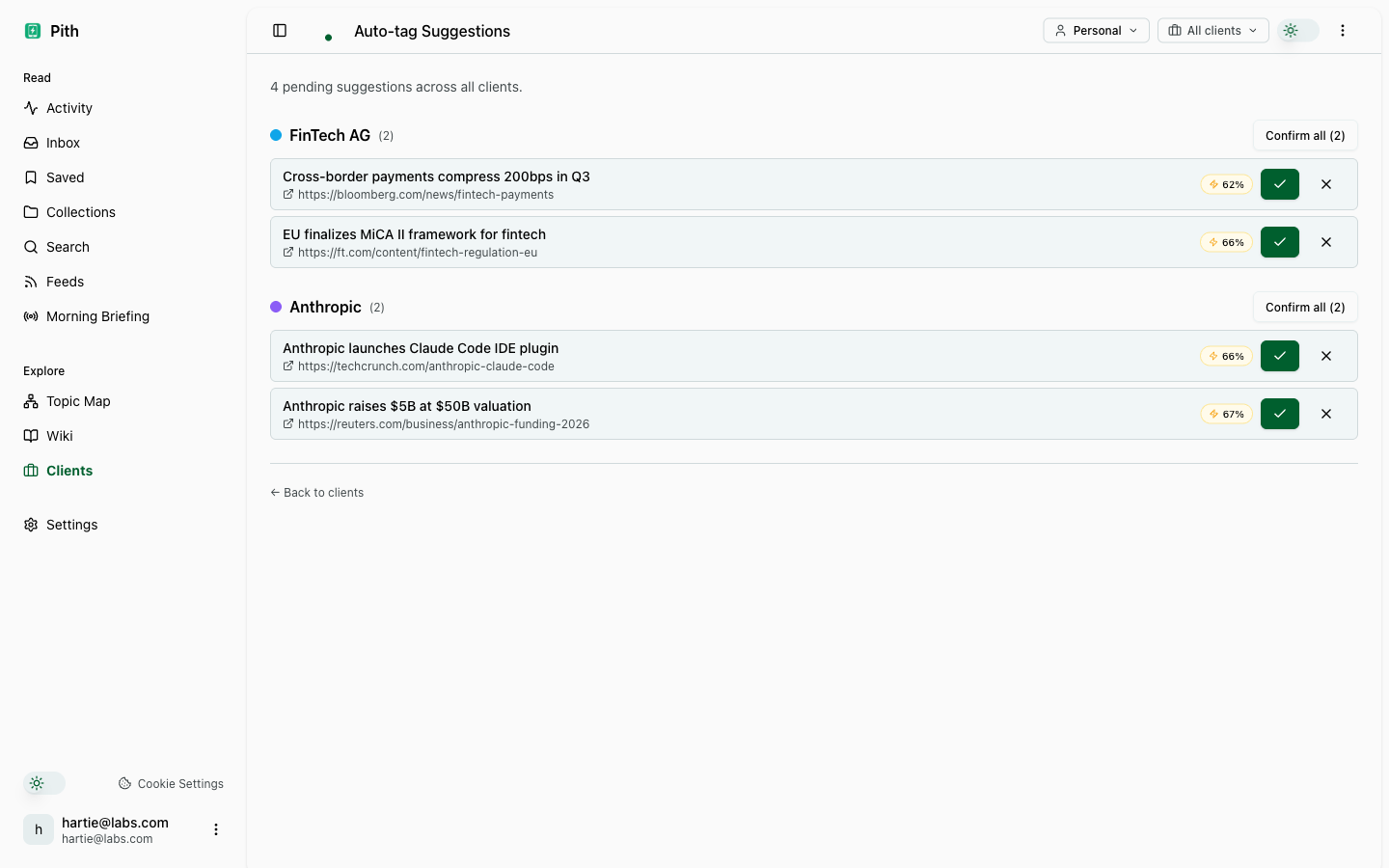
When you save an article, Pith scores it against every client in your workspace — named entities, the site it comes from, and similarity to the client's other articles. Confident matches are tagged automatically; uncertain ones wait in a review queue.
In short
Pith scores each saved article against your client list and tags confident matches automatically; uncertain ones wait in a review queue you clear with one click per client.
In the app: /clients/auto-tag-suggestions
What it gives you
Zero data entry
Save the article; tagging runs after the summary. Clean matches need no click at all.
Weighted signals
Entities count 50%, the site 25%, similarity 25% — the score behind each suggestion is visible on hover.
Per-client tuning
A stricter threshold for common names (Apple, Meta), aliases for how a client is actually written about.
How it works
- 1
Create your clients.
- 2
Save articles — confident matches are tagged, uncertain ones become suggestions.
- 3
Open the review queue and confirm or dismiss — or confirm a whole client at once.
Other make sense features
FAQ
How does Pith decide which client an article belongs to?
It scores each article against every client: named entities (50%), the site it comes from (25%) and similarity to the client's other articles (25%). Confident matches are tagged automatically.
What happens to uncertain matches?
They wait in a review queue, grouped by client, with confirm, dismiss and confirm-all.
Can I tune it per client?
Yes — set a stricter threshold for common names and add aliases for how a client is written about.
Can one article belong to several clients?
Yes.
Try it for yourself.
No credit card. Try Auto-tag clients in your own workspace — AI actions cost cents from a prepaid credit, and there is €1 free every month.
Start free